

This might be slightly against the mainstream opinion, but I want to write code that works even if it looks boring. I don’t care if it’s clever. I don’t care if it uses every design pattern in the book. I care about one thing: what does it feel like to work with this code on a Tuesday afternoon when a ticket comes in and I need to change a tab icon?
How many files do I open? How many hops before I find the right line? How confident am I that my change won’t break something three screens away?
I’ve started measuring architecture by these small, boring moments. And what I’ve found — again and again — is that the codebases that feel best to work with share a few traits: they’re simple, they’re consistent, and they’re a little repetitive.
That last one surprises people. We’ve been trained to think repetition is a code smell. I think it’s often the opposite.
The Allure of Abstraction
Let me show you a pattern I keep running into in SwiftUI projects: the global router. You can see an example project on Github here which is a BlueSky client.
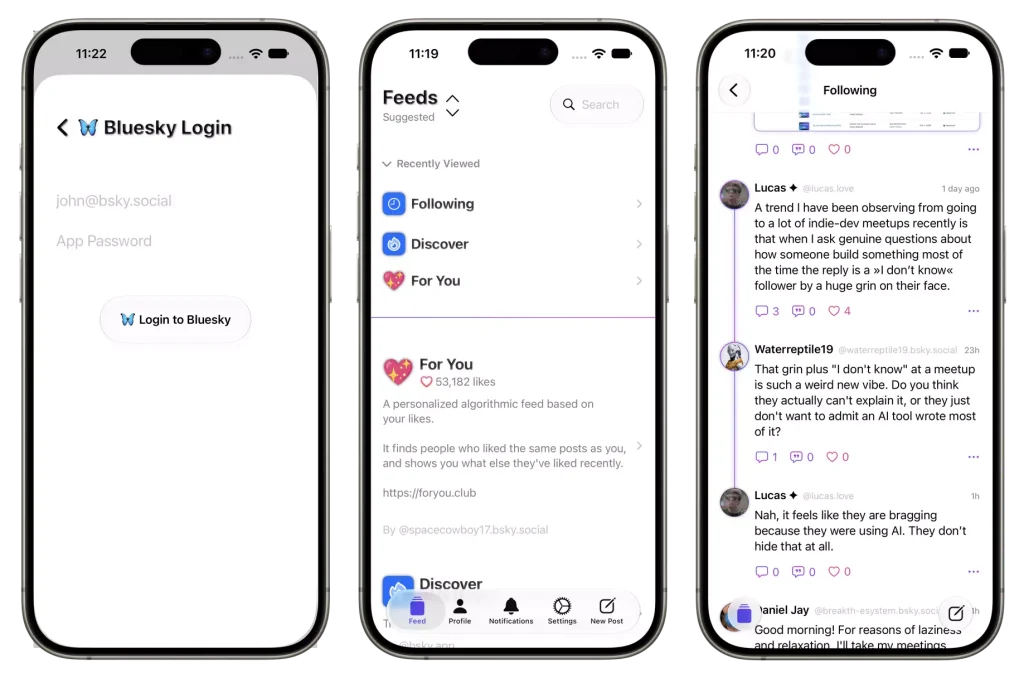
It always starts the same way. You have four tabs, each needs a title and an icon, so you model it as an enum:
enum AppTab: String, CaseIterable, Identifiable {
    case feed
    case notifications
    case profile
    case settings

    var id: String { rawValue }

    var title: String {
        switch self {
        case .feed: "Feed"
        case .notifications: "Notifications"
        case .profile: "Profile"
        case .settings: "Settings"
        }
    }

    var icon: String {
        switch self {
        case .feed: "house"
        case .notifications: "bell"
        case .profile: "person"
        case .settings: "gearshape.fill"
        }
    }
}Then your tab view loops over the cases:
struct AppTabView: View {
    @State var selectedTab: AppTab = .feed

    var body: some View {
        TabView(selection: $selectedTab) {
            ForEach(AppTab.allCases) { tab in
                tab.rootView
                    .tabItem {
                        Label(tab.title, systemImage: tab.icon)
                    }
                    .tag(tab)
            }
        }
    }
}Clean. No repetition. The enum drives everything. This feels right.
Then the app grows. You need navigation destinations, so you add a route enum:
enum AppRoute: Hashable {
    case postDetail(Post)
    case userProfile(User)
    case settings
    case followers(User)
    case following(User)
    case editProfile
    // ... keeps growing
}You need sheets, so you add another enum:
enum SheetDestination: Identifiable {
    case auth
    case newPost
    case mediaViewer(MediaItem)
    case editProfile
    case reportContent(Post)

    var id: String { /* ... */ }
}And a centralized modifier to wire it all up:
struct AppDestinationsModifier: ViewModifier {
    @Environment(Router.self) var router

    func body(content: Content) -> some View {
        content
            .navigationDestination(for: AppRoute.self) { route in
                switch route {
                case .postDetail(let post):
                    PostDetailView(post: post)
                case .userProfile(let user):
                    ProfileView(user: user)
                case .settings:
                    SettingsView()
                case .followers(let user):
                    FollowersListView(user: user)
                case .following(let user):
                    FollowingListView(user: user)
                case .editProfile:
                    EditProfileView()
                }
            }
            .sheet(item: $router.presentedSheet) { destination in
                switch destination {
                case .auth:
                    AuthenticationLoginView()
                case .newPost:
                    ComposerView()
                case .mediaViewer(let media):
                    MediaDetailView(media: media)
                case .editProfile:
                    EditProfileView()
                case .reportContent(let post):
                    ReportView(post: post)
                }
            }
    }
}At this point, search your project for Router or AppRoute. You’ll find it in nearly every file. That innocent enum has become the most coupled dependency in your entire application. A god object that everything needs and nothing can work without.
Here’s the boring alternative. No enum. No router. Just tabs:
TabView(selection: $selectedTab) {
    FeedView()
        .tabItem { Label("Feed", systemImage: "house") }
        .tag(AppTab.feed)

    NotificationsView()
        .tabItem { Label("Notifications", systemImage: "bell") }
        .tag(AppTab.notifications)

    ProfileView()
        .tabItem { Label("Profile", systemImage: "person") }
        .tag(AppTab.profile)

    SettingsView()
        .tabItem { Label("Settings", systemImage: "gearshape.fill") }
        .tag(AppTab.settings)
}I have to repeat the code to write NavigaitonStack and the destinations for each Tab:
struct FeedView: View {
   ...

    var body: some View {
        NavigationStack(path: $path) {
            FeedsListView()
                .navigationDestination(for: FeedDestination.self) { destination in
                    switch destination {
                        case .feed(let feedItem):
                            PostsFeedView(client: client, feedItem: feedItem)
                        case .post(let post):
                            PostDetailView(post: post)
                        case .timeline:
                            PostsTimelineView(client: client)
                        case .profile(let profile):
                            ProfileView(profile: profile)
                        case .profilePosts(let profile, let filter):
                            PostsProfileView(client: client, profile: profile, filter: filter)
                        case .profileLikes(let profile):
                            PostsLikesView(client: client, profile: profile)
                    }
                }
        }
    }
}More repetitive? Sure. But now let me show you what happens when we start working with both.
Ticket 1: Change a Tab Icon
First ticket of the day. The Settings tab uses a filled gear icon. Design wants the outline version instead. A one-line change.
The direct version. I open the app file, I see the tabs, I see "gearshape.fill", I change it to "gearshape". One file. Done. The icon is right next to the view it belongs to. I didn’t have to think.
TabView(selection: $selectedTab) {
    FeedListView()
        .tabItem { Label("Feed", systemImage: "house") }
        .tag(AppTab.feed)

    ...

    SettingsView()
        .tabItem { Label("Settings", systemImage: "gearshape.fill") } // change this line
        .tag(AppTab.settings)
}The router version. I open the app file, I find the TabView, I see ForEach(AppTab.allCases). The label references tab.icon. So I navigate to the AppTab enum, find the icon computed property, scroll to the .settings case, and change it there.
enum AppTab: String, CaseIterable, Identifiable {
    case feed
    case notifications
    case profile
    case settings

    var id: String { rawValue }

    var title: String {
       ...
    }

    var icon: String {
        switch self {
        case .feed: "house"
        case .notifications: "bell"
        case .profile: "person"
        case .settings: "gearshape.fill" // change this line
        }
    }
}Same result, but I had to open a second file and trace through a level of indirection to get there. The icon doesn’t live where the tab is. It lives on a property, on an enum case, in a model file.
On its own, this is nothing. One extra file. But these “nothing” moments happen twenty times a day.
Ticket 2: Reorder the Tabs
Product wants Profile before Notifications. The tab bar should read: Feed, Profile, Notifications, Settings.
The direct version. I move the Profile code block above the Notifications block:
TabView(selection: $selectedTab) {
    FeedListView()
        .tabItem { Label("Feed", systemImage: "house") }
        .tag(AppTab.feed)

    ProfileView()                // moved up
        .tabItem { Label("Profile", systemImage: "person") }
        .tag(AppTab.profile)

    NotificationsView()          // moved down
        .tabItem { Label("Notifications", systemImage: "bell") }
        .tag(AppTab.notifications)

    SettingsView()
        .tabItem { Label("Settings", systemImage: "gearshape") }
        .tag(AppTab.settings)
}Declaration order is display order. It’s so obvious it barely requires thought.
The router version. The TabView uses ForEach(AppTab.allCases). The allCases property comes from the CaseIterable protocol, which returns cases in the order they’re declared in the enum. So to reorder the tabs on screen, I reorder the cases in the enum definition:
enum AppTab: String, CaseIterable, Identifiable {
    case feed
    case profile        // moved up
    case notifications  // moved down
    case settings
}Stop and think about what just happened. I changed a model definition. The declaration order of an enum’s cases to achieve a UI change. Nothing in the TabView tells you this. Nothing in the view layer hints at it. The connection between “what I see on screen” and “what I need to change in code” passes through a protocol conformance that’s completely invisible unless you already know how CaseIterable works.
If you know this pattern, you’ll find it in five minutes. If you’re a junior developer or an intern picking up this ticket on a Friday afternoon, you might spend half an hour wondering how to reorder the views in the TabView with a ForEach.
Ticket 3: Add a New Screen
Here’s where the real cost shows up. The Profile tab needs a new screen: a “Blocked Users” list, accessible from the user’s profile page. Straightforward feature work.
But first, let me show you what the router pattern has grown into by this point. As the app added more screens, all navigation destinations were centralized into a single modifier applied to the entire tab view:
public struct AppDestinations: ViewModifier {
    public func body(content: Content) -> some View {
        content
            .navigationDestination(for: RouterDestination.self) { destination in
                switch destination {
                case .feed(let feedItem):
                    PostsFeedView(feedItem: feedItem)
                case .post(let post):
                    PostDetailView(post: post)
                case .timeline:
                    PostsTimelineView()
                case .profile(let profile):
                    ProfileView(profile: profile)
                case .profilePosts(let profile, let filter):
                    PostsProfileView(profile: profile, filter: filter)
                case .profileLikes(let profile):
                    PostsLikesView(profile: profile)
                }
            }
    }
}Look at this switch statement for a moment. Six destinations. Which ones belong to the Feed tab? Which ones belong to the Profile tab? Can the Feed tab navigate to profileLikes? Can the Profile tab navigate to timeline? You can’t tell. Everything is flattened into one bucket with no indication of which tab uses what.
So, back to the ticket. To add the Blocked Users screen, I need to:
- Add a new case to the
RouterDestinationenum - Add a new branch to this switch statement
- Hope that I’m not accidentally making this screen reachable from tabs that shouldn’t have it
enum RouterDestination: Hashable {
    case feed(FeedItem)
    case post(Post)
    case timeline
    case profile(Profile)
    case profilePosts(Profile, PostFilter)
    case profileLikes(Profile)
    case blockedUsers              // new
}case .blockedUsers:
BlockedUsersView()Done? Technically yes. But think about what just happened. I added a Profile feature to a global modifier that the Feed tab, the Notifications tab, and the Settings tab all share. Nothing in this code says “this destination belongs to Profile.” It just sits in the pile with everything else.
And think about what this file looks like two years from now. The app keeps growing. More screens, more destinations:
case .feed(let feedItem): PostsFeedView(feedItem: feedItem)
case .post(let post): PostDetailView(post: post)
case .timeline: PostsTimelineView()
case .profile(let profile): ProfileView(profile: profile)
case .profilePosts(let profile, let filter): PostsProfileView(...)
case .profileLikes(let profile): PostsLikesView(profile: profile)
case .blockedUsers:
    BlockedUsersView()
case .search(let query): SearchResultsView(query: query)
case .followers(let user): FollowersListView(user: user)
case .following(let user): FollowingListView(user: user)
case .editProfile: EditProfileView()
case .thread(let post): ThreadView(post: post)
case .hashtag(let tag): HashtagFeedView(tag: tag)
case .quotePosts(let post): QuotePostsView(post: post)
case .mutedWords: MutedWordsView()Fifteen cases. All in one switch. Every developer on the team edits this same file whenever they add a screen, anywhere in the app. Profile developer and Feed developer and Settings developer all touching the same enum, the same switch, the same modifier. Merge conflicts become routine. And the worst part: a change to profile navigation could affect the feed tab, and you wouldn’t know until runtime.
Now imagine a real production app. Not fifteen screens. Fifty. A hundred. This file becomes an archaeological dig site, and every new screen makes the dig deeper.
The root cause is structural. You’ve taken navigation that is inherently local (“from this screen, you can go to these screens”) and made it global. Global things don’t scale.
Now the same ticket with the boring approach. Each tab has its own NavigationStack and declares its own destinations:
// Feed tab
NavigationStack {
    FeedListView()
        .navigationDestination(for: Post.self) { post in
            PostDetailView(post: post)
        }
        .navigationDestination(for: FeedItem.self) { item in
            PostsFeedView(feedItem: item)
        }
}

// Profile tab
NavigationStack {
    ProfileView()
        .navigationDestination(for: PostFilter.self) { filter in
            PostsProfileView(filter: filter)
        }
        .navigationDestination(for: User.self) { user in
            UserDetailView(user: user)
        }
}Adding the Blocked Users screen? I add a .navigationDestination to the Profile tab’s stack:
// Profile tab
NavigationStack {
    ProfileView()
        .navigationDestination(for: PostFilter.self) { filter in
            PostsProfileView(filter: filter)
        }
        .navigationDestination(for: User.self) { user in
            UserDetailView(user: user)
        }
        .navigationDestination(for: BlockedUsersRoute.self) { _ in
            BlockedUsersView()    // new, only here
        }
}That’s it. One file. One tab. The Feed tab doesn’t know about it. The Notifications tab isn’t affected. No shared enum to extend. No shared switch to edit. No merge conflict with the developer adding search to the Feed tab.
I can look at the Profile tab’s code and see every screen it can navigate to. I can look at the Feed tab’s code and see every screen it can navigate to. The structure tells me the truth. I don’t need to cross-reference a central registry to figure out which destinations belong where.
Yes, I wrote NavigationStack multiple times. Yes, if both Feed and Profile can navigate to PostDetailView, it shows up in two places. That’s more code. That’s more repetition. And I’ll take that trade every single time, because the alternative is a centralized switch statement that grows without limit and tells me nothing about which feature owns which screen.
The router version scales by making one file bigger and bigger. The direct version scales by keeping each tab small and independent. One approach has a ceiling. The other doesn’t.
The Abstraction Tax
There’s a pattern running through all three of these tickets. The router version always takes more hops. Always requires opening more files. Always demands that I understand the system before I can make a simple change: the enum, the protocol conformance, the centralized modifier, the destination switch.
Each individual layer feels small and reasonable when you add it. “I’ll just put the icons on the enum.” “I’ll just centralize the destinations.” “I’ll just use CaseIterable for the tab order.” Each one is a defensible decision in isolation.
But they stack. And the cost isn’t paid by the person who built the abstraction. They understand it perfectly, they just created it. The cost is paid by every person who reads the code afterward. The next developer on the team. The new hire trying to onboard. You, three months from now, after you’ve forgotten the details.
And those three tickets? They’re not edge cases. They’re the most common kind of work in any codebase. Change an icon. Reorder some items. Add a new screen. This is what a normal week looks like. If your architecture makes normal work harder, it’s not helping you.
Repetition Isn’t the Enemy
At this point you might be looking at the boring version with four NavigationStack declarations, PostDetailView showing up in two tabs, .tabItem written out four times, and thinking: isn’t this exactly what DRY tells me not to do?
DRY stands for “Don’t Repeat Yourself.” The idea is straightforward: if the same piece of knowledge exists in two places, eventually one gets updated and the other doesn’t. You define a tax rate in your checkout flow and again in your invoice generator. Someone updates checkout to 10%. Nobody touches the invoice. It still says 8%. Customers get charged one thing and invoiced another. That’s a real bug, and DRY prevents it. Put the tax rate in one place, reference it everywhere.
But a NavigationStack in the Feed tab and a NavigationStack in the Profile tab aren’t the same piece of knowledge defined twice. They’re two different things that happen to use the same API. Each one is scoped to its own tab. Each one owns different destinations. They’re configured independently and they change independently. There’s nothing to drift apart because they were never the same thing.
Same with PostDetailView appearing as a destination in two tabs. That feels like duplication, but what would actually go wrong? If you change PostDetailView(post:) to PostDetailView(post:showComments:), every call site that’s outdated fails to compile. You get a red error in both tabs. You fix them in thirty seconds. The compiler already prevents the drift that DRY is designed to prevent.
The discomfort with the boring version is real, but it’s pattern recognition misfiring. We’ve trained ourselves to see any repetition as a problem. Sometimes repetition is just structure. Four tabs, four navigation stacks. That’s not duplication. That’s how tabs work.
What “Simple, Consistent, and a Little Repetitive” Means
When I say I prefer boring code, I mean something specific.
Simple means the path from “what I see on screen” to “what I change in code” is short. If I see a gear icon in the tab bar, I should find "gearshape" within one or two file hops. Not on a computed property on an enum case in a model file.
Consistent means the same pattern is used the same way everywhere. Every tab has its own NavigationStack. Every tab declares its own destinations locally. You learn the pattern once, and you can predict where things live in any part of the app.
New developer onboarding becomes a thirty-second conversation. “Each tab has a NavigationStack. Destinations are declared in the tab that uses them.” That’s the architecture. There’s no router to learn, no centralized modifier to memorize, no CaseIterable trick to discover.
A little repetitive means I’ll write NavigationStack four times. I’ll write .tabItem { Label(...) } four times. I’ll declare destinations per tab instead of in a shared modifier. And I won’t feel bad about it, because each of those repetitions makes the code more local, more self-contained, and more obvious.
Every time I’m tempted to extract a shared abstraction, I ask myself: does this repetition actually cause problems? Will these four NavigationStack declarations drift apart in a way that matters? Or am I just uncomfortable with code that looks a little verbose?
Usually it’s the discomfort. And I’ve learned to sit with that discomfort, because the alternative, another layer of indirection, another file hop, another concept someone has to learn, is worse.
The Friday Afternoon Test
Here’s the test I keep coming back to. It’s Friday afternoon. You’ve been coding all week. You’re tired. A ticket comes in. Change an icon. Reorder tabs. Add a new screen to the Profile tab.
In the simple, boring codebase, you open the relevant file, you see the code laid out directly in front of you, you make the change. Ten minutes, including running the app to verify.
In the clever, abstracted codebase, you open the file and the actual content is somewhere else. Driven by an enum. Routed through a modifier. Ordered by a protocol conformance. You start jumping. File to file, layer to layer, holding the mental thread of where you started. You find the right spot eventually, but it took three times as long and you’re still not sure your change won’t ripple into a tab you never meant to touch.
Both get you to the same result. One of them will still work fine when the app has fifty screens and three new developers who’ve never seen the codebase. The other will have a RouterDestination enum with eighty cases and a AppDestinations modifier that nobody wants to touch.
Don’t add abstractions you don’t need. Prefer code you can follow without a tour guide, even if it means writing NavigationStack four times. The app doesn’t care how clever your architecture is. It cares whether you can ship the next ticket without breaking the last one.
Further Reading
Navigation in SwiftUI. Apple’s documentation on NavigationStack and navigationDestination is worth reading carefully. A lot of the router patterns people reach for exist because they carried habits over from other frameworks. SwiftUI’s declarative navigation already solves many of the problems routers were built for. Sometimes the best abstraction is the one the framework already gives you.
- WWDC22 Session 10054, “The SwiftUI cookbook for navigation” (shows
NavigationStackandnavigationDestinationin practice, the API the “boring” version is built on) - Apple’s
NavigationStack
Coordinator pattern. If your navigation decisions depend on logic that doesn’t belong in a view, coordinators are worth exploring. A background network request finishes and you need to present a specific sheet based on the result. A push notification arrives and you need to navigate somewhere. Who holds that logic? A coordinator sits above the view layer, owns the navigation state, and makes those decisions. The key: don’t build one global coordinator. Build small, scoped ones per feature. For most simple apps you won’t need them, but when navigation starts depending on async events and external triggers, they give you a clean home for that logic.
Modularization with Swift packages. The global router is a modularization killer. It imports every screen in the app, which means it depends on every feature. You can’t extract your Profile feature into its own package without the router package also depending on it, and on Feed, and on Settings, and on everything else. The approach in this post avoids that entirely. Each tab already owns its navigation and only knows about its own screens. When the time comes to split into packages, the boundaries are already there.